
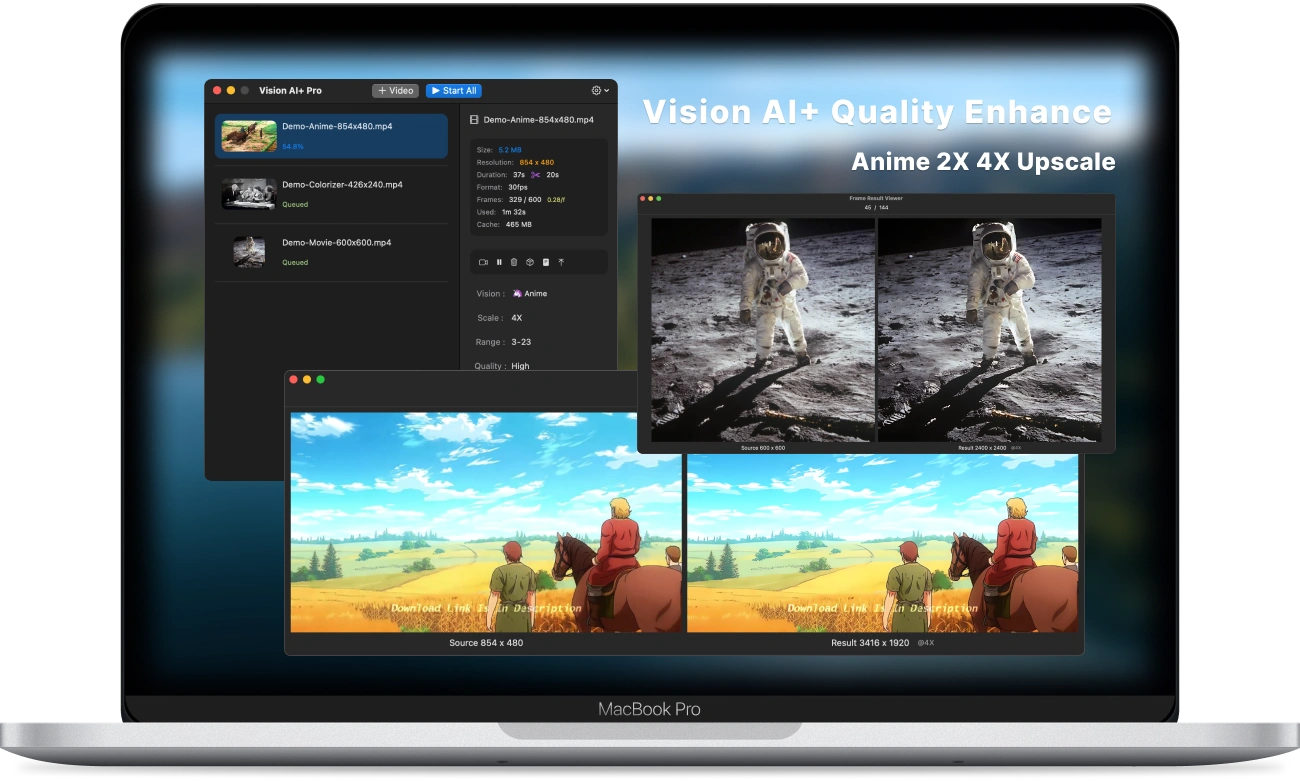
Restore every frame. Create beyond the original.

A native macOS workspace for batch video enhancement. Upscale anime and footage, recover detail, colorize black-and-white clips, and explore new visual styles—privately on your Mac.

2× & 4× AI upscale Batch processing Private, on-device
Vision AI+ showing a batch queue and side-by-side enhanced video results

See Vision AI+ in motion

From source clip to a better frame.

Two short demos show how Vision AI+ turns enhancement models, batch controls, and before-and-after review into one focused workflow.

Super-resolution for animation

Make every line feel newly drawn.

Upscale anime and illustrated footage to 2× or 4× resolution while keeping edges, color fields, and small details crisp.

  • Dedicated anime enhancement models
  • 2× and 4× upscale options
  • Side-by-side frame comparison
Make every line feel newly drawn.

Repair real-world footage

Bring soft video back into focus.

Recover clarity from small, noisy, or compressed clips with models tuned for detail restoration and higher-resolution output.

  • Super-resolution media repair
  • Noise and compression cleanup
  • Inspect results frame by frame
Bring soft video back into focus.

Color, restored

Give black-and-white footage new life.

Add natural-looking color to grayscale video with a dedicated colorization model, then compare the source and result before export.

  • Purpose-built colorization model
  • Full-duration or selected-range processing
  • Original and result shown together
Give black-and-white footage new life.

Sketch conversion

Turn motion into drawn lines.

Convert everyday footage into a clean sketch treatment, preserving movement while reinterpreting texture and contrast.

  • Automatic line-art conversion
  • Range controls for quick experiments
  • Export as MP4 or MOV
Turn motion into drawn lines.

Anime style models

Reimagine a scene, frame by frame.

Apply expressive anime-inspired models to live-action footage and preview how color, shape, and atmosphere change.

  • Multiple anime-inspired looks
  • Consistent batch settings
  • Before-and-after review
Reimagine a scene, frame by frame.

Portrait focus

Let the subject take the frame.

Create depth around people and objects by softening the background while keeping the foreground clear and recognizable.

  • Automatic subject separation
  • Adjustable background blur
  • Local processing for private footage
Let the subject take the frame.